https://photos.app.goo.gl/DzDnMKyYcRg5RP1m6


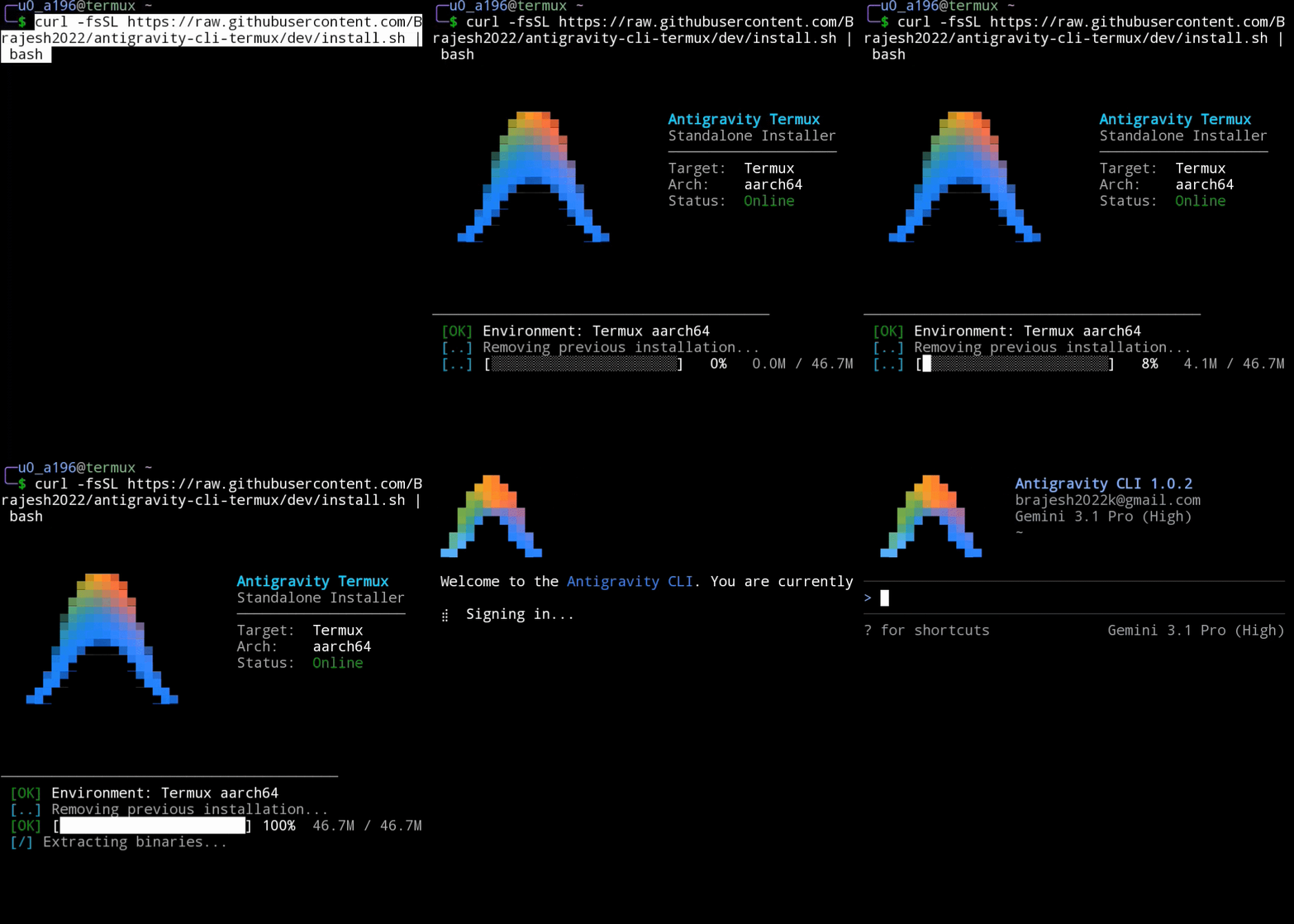 The easiest and community-recommended way to install Antigravity CLI on Termux is using the standalone auto-installer.
curl -fsSL https://raw.githubusercontent.com/wallentx/antigravity-cli-termux/dev/install.sh | bashHow it works: This script instantly installs the latest release directly from the wallentx/antigravity-cli-termux repository. A huge thanks to the original repository owner, @wallentx, for packaging these releases! The repository automatically runs a GitHub Action every six hours that fetches the official binary and patches it using the exact methods outlined in this guide below.

Written by Kaj Maney, April 2026 · Major revisions May and August 2026 A working Bluetooth page turner for the PW6 (MT8110 "Bellatrix") platform.
⚠️ Update — April 2026: An upstream fix is in progress that may significantly simplify this setup in future KOReader releases. @zampierilucas (the kindle-hid-passthrough author) has merged a uevent listener for input device hotplug into koreader-base. Once this lands in a KOReader release, UHID keyboards created by kindle-hid-passthrough may be detected natively, potentially allowing direct key-based page turning without the HTTP API workaround. If you're setting this up after the next KOReader release, test native key input first before following this guide. This guide remains valid for KOReader v2026.03 and earlier.
**
⚠️ Update — August 2026: the

A pattern for building personal knowledge bases using LLMs.
This is an idea file, it is designed to be copy pasted to your own LLM Agent (e.g. OpenAI Codex, Claude Code, OpenCode / Pi, or etc.). Its goal is to communicate the high level idea, but your agent will build out the specifics in collaboration with you.
Most people's experience with LLMs and documents looks like RAG: you upload a collection of files, the LLM retrieves relevant chunks at query time, and generates an answer. This works, but the LLM is rediscovering knowledge from scratch on every question. There's no accumulation. Ask a subtle question that requires synthesizing five documents, and the LLM has to find and piece together the relevant fragments every time. Nothing is built up. NotebookLM, ChatGPT file uploads, and most RAG systems work this way.


There are multiple options how to install MS Office on Linux.
VM-based - Integrate Windows apps running in a Windows virtual machine as native-looking in Linux
You can either run a normal Windows virtual machine (e.g. in virt-manager or virtualbox or gnome-boxes) to run any Windows apps, including Microsoft Office, but there is further integration into the Linux host system.
Some other apps - such as LinOffice, Winapps, Winboat or Cassowary - try to integrate Windows apps, including Office, into the Linux desktop. They create launchers for MS Office apps that you can start from Linux and then, using freerdp in the background, Office apps run in normal app window integrated into the Linux desktop, they have access to the files on your Linux /home, share the clipboard

Video Preview (Imgur): https://imgur.com/a/6qu8hnO
Play The Legend of Zelda: Ocarina of Time on the Switch 2 emulator Lichii (or Fritchii) at good frames without loosing on visual quality, with an auto installer/updater of shader files.

Team CyclinB. This is a high-level overview of the approach behind our final submission on the direct inhibition track (pIC50 regression, CYP1A2 / 2C9 / 2D6 / 3A4).
Proprietary data: This submission was built partly on internal data, and leveraged internal foundation models such as MolGPS[^molgps].

I liked the way Grokking the coding interview organized problems into learnable patterns. However, the course is expensive and the majority of the time the problems are copy-pasted from leetcode. As the explanations on leetcode are usually just as good, the course really boils down to being a glorified curated list of leetcode problems.
So below I made a list of leetcode problems that are as close to grokking problems as possible.